
How to Specify an LED Display for Your Next Meeting Room
Upgrading from a projector to a meeting room LED display isn't just about getting a bigger screen—it's about eliminating the "dim room" problem and ensuring perfect video call quality. Most buyers focus on size but ignore the specs that actually matter. This guide breaks down the 5 critical parameters you must not ignore: Fine Pixel Pitch (P1.5–P1.8) for the front row, 3,840Hz Refresh Rate for camera-friendliness, 14-16 Bit Grayscale for dark scenes, and the game-changing All-in-One plug-and-play installation.
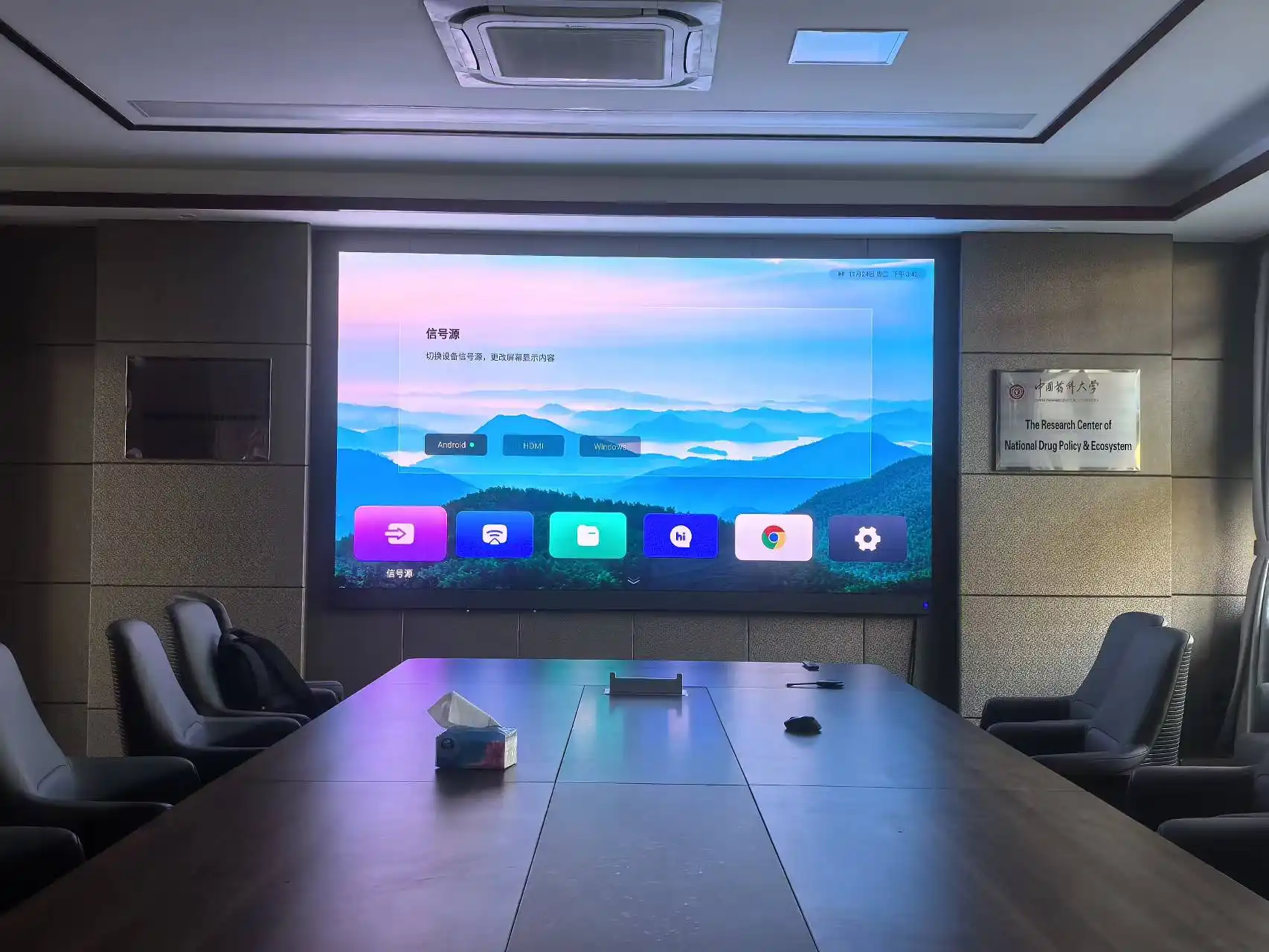
If you are planning a corporate AV upgrade, here are the five critical specs you cannot afford to ignore.
1. The End of the "Dim Room": Why Replace Projectors?
Projectors demand a darkened room that modern meetings no longer allow, and
their bulbs last a fraction of an LED lifetime. The moment ambient light hits a
projected image, it washes out.
LED displays are self-emissive. They deliver high brightness and contrast, meaning you can keep the lights on, take notes, and still see a crisp, vibrant image.
2. The First Row is the Enemy: Fine Pixel Pitch
The most common mistake buyers make is choosing a screen based solely on room
size. At a two- to three-metre first row, a standard P2.5 screen shows
visible pixels. You must specify a fine pixel pitch of P1.5 or
P1.8 to ensure text and data remain perfectly readable up close.
3. Deep Grayscale: 14-16 Bit Depth
Low grayscale causes "blocky" color banding instead of smooth
gradients in dark scenes. To accurately display dark data charts and
high-definition presentation content, your display needs 14-bit to 16-bit
grayscale processing to keep gradients and dark content free of banding.
4. Camera-Ready: 3,840Hz Refresh Rate
If you host hybrid meetings, your display must be camera-friendly. Low refresh
rates cause severe flickering and black scan lines on video conferencing
cameras. For video calls, a refresh rate of at least 1,920Hz, and ideally
3,840Hz, keeps the camera image clean.
5. Two Routes for Different Rooms
There is no one-size-fits-all hardware.
- Traditional LED walls with steel structures suit large auditoriums and complex custom builds.
- All-in-One LED displays integrate screen, audio, casting, and conferencing into one plug-and-play unit. They are ideal for standard rooms: roll it in, plug it into the wall, and it is ready. No steel structures. No wiring. No crews.
💡 Meeting Room LED Selection Checklist
|
Feature |
Traditional Projector |
Standard LED |
Meeting-Room LED (Recommended) |
|
Lighting |
Requires dark room |
Needs dimming |
Lights on (300-800 nits) |
|
Pixel Pitch |
N/A |
P2.5 (Grid visible) |
P1.5 - P1.8 (Crisp) |
|
Refresh Rate |
N/A |
< 1,920Hz (Flickers) |
3,840Hz (Camera-ready) |
|
Grayscale |
N/A |
< 14-bit |
14-16 bit (Smooth) |
|
Installation |
Wall mount |
Steel frame + wiring |
All-in-one (Plug & Play) |
Buyer’s FAQ
Q: Can office
managers easily operate an All-in-One LED screen?
A: Yes. They are designed for corporate environments, plugging directly into
standard power outlets with no technical installation or complex wiring
required.
Q: What is the
ideal brightness for a meeting room?
A: Between 300 and 800 nits. This is bright enough to combat ambient room light
but soft enough to avoid eye strain during close-up viewing.
Q: How do we
prevent scan lines in video calls?
A: By specifying a screen with a refresh rate of at least 3,840Hz to ensure
professional camera capture without flicker.
Ready to upgrade your corporate space?
Don't rely on guesswork. Choosing the wrong pixel pitch or refresh rate can ruin your hybrid meetings and waste your AV budget.
At CHECHI, we help businesses match the exact display specifications to their room dimensions and lighting conditions.
Ready to Transform Your Visual Space?
Our team of experts is ready to help you find the perfect LED display solution for your project.
Contact Us Today